Unenas - Powerpoint Template: Building a Visual Narrative from the Ground Up
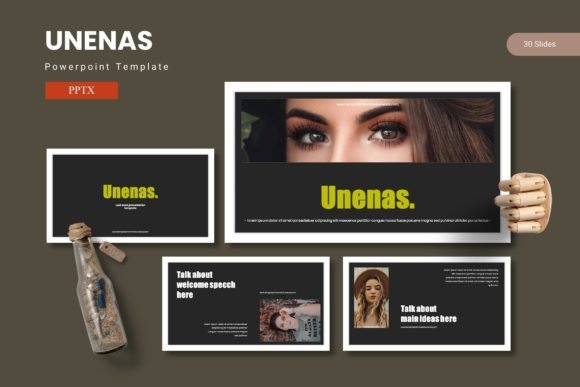
Crafting a presentation that holds attention is often less about the speaker and more about the visual scaffolding that supports the message. In professional, educational, and creative environments, the gap between a good idea and a compelling presentation is frequently bridged by the tools used to build it. The Unenas - Powerpoint Template positions itself as a comprehensive system for this exact purpose, offering a robust framework that extends far beyond standard slide decks. With a hefty 150 total slides spread across 5 premade colors, it is designed to function as a complete visual language rather than a disposable set of layouts.
The Architecture of a 150-Slide System
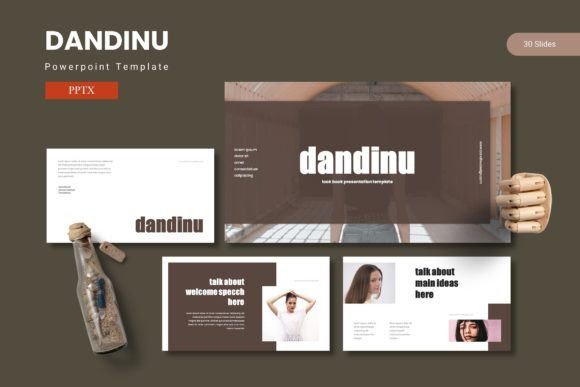
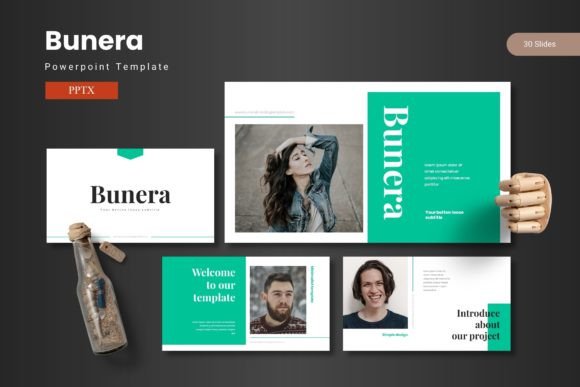
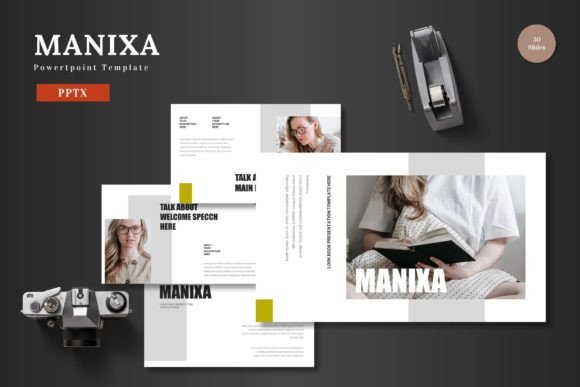
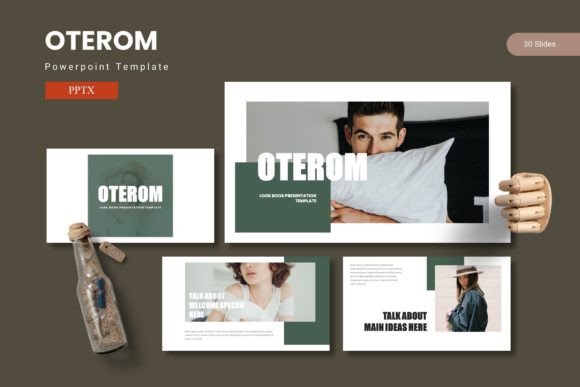
When a template offers 150 slides, it signals a shift in purpose. This is not a quick-fix layout pack; it is a modular content system. The structure of Unenas is built on a repeating but flexible grid. Breaking it down, it contains 30 slides for each of the 5 color variations. This means that each color theme is a fully fleshed-out, standalone deck. For professionals who pitch to different brands or clients, this allows for deep customization without starting from scratch. You are essentially getting five distinct visual identities in one file.
Master Slides and the Consistency Framework
A key technical characteristic of this template is its reliance on Master Slides. For users who have struggled with inconsistent fonts or misaligned elements, the Master Slide framework is a workflow saver. By editing the master layout, you can update the entire 30-slide deck or even all 150 slides simultaneously. This ensures that a change in the header font, background texture, or footer placement propagates perfectly across the entire presentation. The pixel-perfect illustrations included are anchored to these master layouts, ensuring that resizing or editing does not break the visual alignment.
The Role of Section Break Slides in Storytelling
One of the often-overlooked features in this template is the inclusion of dedicated Section Break Slides. In long-form presentations—such as academic lectures, annual reports, or detailed project proposals—transitions between topics are critical. A section break provides a breather for the audience, signaling a shift in context. Unenas leverages these breaks to reset the visual palette within the same color scheme, acting like chapter headings in a book. This prevents cognitive fatigue and helps structure the narrative flow logically.
Navigating Visual Data with Handcrafted Infographics
Data visualization is a primary pain point for many presenters. Generic charts from spreadsheet software often feel disconnected from the creative flow of a slide deck. The Unenas template addresses this with handcrafted infographics built on the master slides. These are not auto-generated charts but designed visual elements that can be modified to represent processes, timelines, percentages, and hierarchical data in a way that feels organic.
Pixel-Perfect Illustrations vs. Generic Icons
The distinction between high-quality illustrations and generic vector icons is significant. Generic icons often cause visual noise due to inconsistent line weights or styles. All graphic elements in Unenas are resizable and editable. Because they are built to be pixel-perfect, they maintain clarity whether displayed on a laptop screen or a large projection monitor. For a researcher or educator, this means complex diagrams remain crisp. For a business owner or marketer, it means the brand assets look professional and intentional.
Practical Applications Across User Scenarios
The real-world relevance of the Unenas template becomes apparent when applied to specific use cases. It is not industry-specific, which expands its utility across a broad audience. Below is a breakdown of how different users might leverage its features:
- Creative Portfolios (Artists & Designers): The gallery and portfolio slides are designed with a drag-and-drop picture placeholder system. This allows creators to swap out high-resolution images without resizing or cropping manually. The focus stays on the artwork, while the template handles the framing.
- Business Proposals (Consultants & Freelancers): The structure of the 30-slide decks allows for a perfect flow: Title, Problem, Solution, Market Data (Infographic), Testimonials, Timeline, Pricing, and Call to Action. The 5 color variations mean you can match the deck to a specific corporate identity.
- Educational Modules (Educators & Trainers): Learners benefit from high structure. The section breaks help divide subjects into modules, while the infographics simplify complex theories.
- Internal Reporting (Team Leads & Managers): The data-driven slides allow for a quick status update without cluttered tables. The resizable graphics ensure that KPIs are visible at a glance.
The Drag-and-Drop Picture Placeholder Workflow
Time is often the most limited resource when building a deck. The picture placeholder functionality in Unenas streamlines the workflow significantly. Instead of aligning images manually, you simply drag an image into the designated placeholder. The template automatically crops and fits the image to the frame. This is particularly valuable for hobbyists and creators who may not have advanced graphic design software but still need professional-grade output. It reduces the friction between having the content and presenting the content.
Design Consistency and Color Psychology
Color consistency is a hallmark of professional design. The Unenas template provides 5 premade color variations, each applied to 30 slides. This goes beyond simply changing the background; it involves coordinated adjustments to text highlights, chart elements, icon fills, and section markers. Having these variations available in the folder containing the PowerPoint file allows the user to focus on the message rather than the mechanics of color matching.
Understanding the 5 Color Schemes
Choosing the right color scheme can influence how the audience perceives the content. The Unenas template includes:
- Professional Blues/Greys: Best suited for corporate governance, finance, or legal contexts where trust and stability are communicated.
- Creative Accents (Vibrant Tones): Ideal for marketing agencies, startups, or product launches where energy and innovation need to be highlighted.
- Neutral/Warm Tones: Excellent for educational materials or healthcare presentations where a softer, more approachable feel is required.
- High-Contrast Dark/Light Themes: Useful for tech demos or gallery showcases where the visual content (screenshots or photos) needs to pop against the background.
- Earthy or Pastel Variations: Suitable for lifestyle brands, real estate, or environmental presentations.
This variety ensures that the user does not need to manually edit dozens of slides to adjust the mood. It is a pre-packaged design decision that saves hours of work and maintains visual integrity.
Content Architecture and the README File
One of the most practical aspects of the Unenas - Powerpoint Template is the organization of the main files. The inclusion of a "Readme First" file is a small but critical detail for users who may not be familiar with advanced PowerPoint features. This file typically guides the user on where to find fonts, how to install them, and how to utilize the Photo Information folder for stock assets. This aligns with the E-E-A-T (Experience, Expertise, Authoritativeness, and Trustworthiness) guidelines by showing that the developer has considered the user's onboarding experience. It removes the guesswork, especially for educators and non-designers who just need the tool to work.
The provided 5 PPTX files (one for each color theme) ensure that the user does not have to fiddle with a bloated master file. They can simply open the file that matches their desired aesthetic and begin working immediately. The inclusion of 30 slides per file provides a generous amount of content space without overwhelming the user with 150 slides in one document.
Typography and Visual Hierarchy
Font selection is a silent driver of presentation quality. The template relies on a clear typographic hierarchy. Headlines are distinguished from body text through size weight and color contrast. The pixel-perfect illustrations complement, rather than compete with, the text. For a researcher presenting data, this means the numbers are the star of the show. For a storyteller or marketer, it ensures that the narrative thread is visible above the visual noise. The resizable nature of all graphics means that if a specific data point needs to be emphasized, the corresponding icon or chart can be scaled up without loss of quality.
Making the Right Choice for Your Workflow
Choosing a template like Unenas involves trade-offs. On one hand, the sheer volume of 150 slides provides a vast library of options. On the other hand, the user must be disciplined enough to curate which slides they use, avoiding the temptation to overcomplicate a simple message. The strength of this template lies in its modularity. A good practice is to treat the 5 color schemes as different "brand kits" for different clients or departments.
Furthermore, the handcrafted infographics should be viewed as a starting point. Because they are based on master slides, they can be deconstructed and rebuilt to fit entirely different datasets. This makes the template robust for long-term use rather than a one-off project. The drag-and-drop portfolio and gallery slides also make it a strong candidate for visual-heavy industries. A photographer, for instance, can use the dark theme gallery slide to present a portfolio, switching to the light theme for a pricing or contact slide.
Ultimately, the Unenas - Powerpoint Template serves as a comprehensive bridge between raw content and polished delivery. By providing a structured ecosystem of 5 color schemes, 150 total slides, and intentionally designed section breaks and infographics, it allows the creator to focus on the quality of the message. Whether you are a business owner preparing for a board pitch, an educator structuring a semester lecture, or a designer showcasing a new portfolio, the toolset provided aims to reduce friction and elevate the aesthetic of the final presentation. The key to leveraging this system effectively lies not in using every slide, but in understanding the architecture of the system and choosing the right visual elements that best support your narrative.