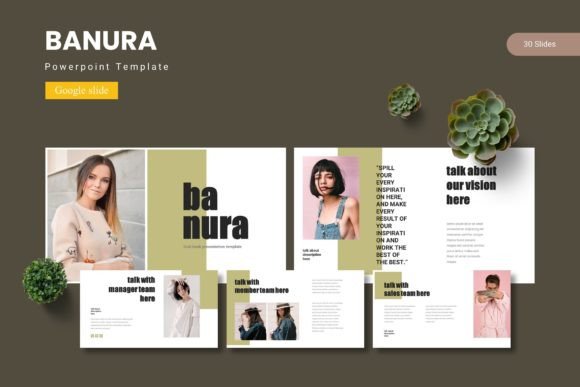
Banura – Google Slide Template for Polished Presentations
Presentations are a staple of modern communication. Whether you’re pitching a product to investors, teaching a class, or sharing a portfolio with clients, the visual quality of your slides can make or break the message. A well-designed template saves time, ensures consistency, and helps you focus on content rather than formatting. Banura – Google Slide Template is one such resource that balances structure with creative flexibility. But what exactly does it offer, and is it the right fit for your specific needs?
What Makes Banura Stand Out
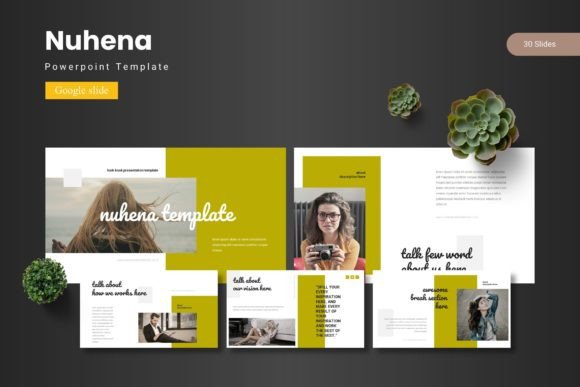
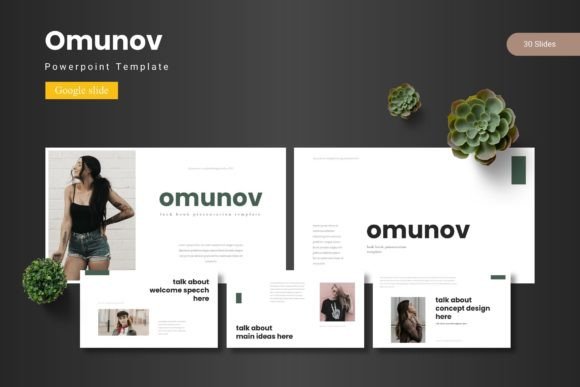
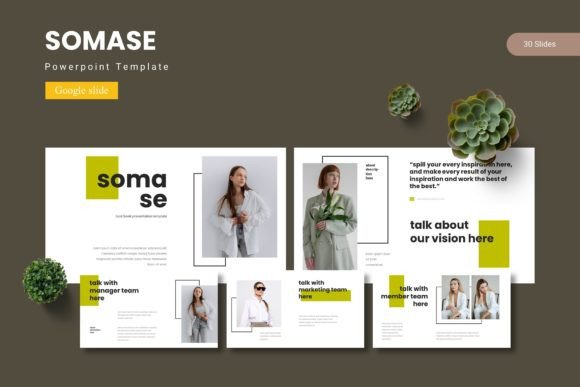
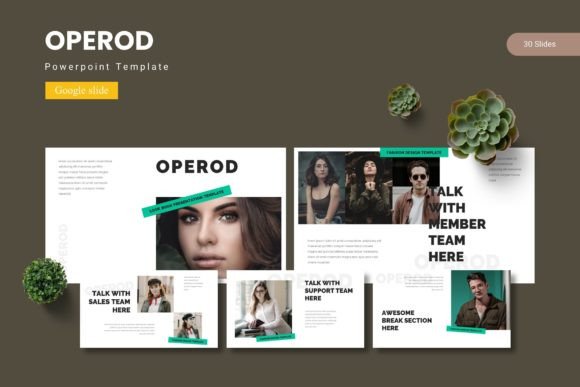
Banura is not just a single slide deck; it’s a comprehensive set of 150 slides organized into five distinct color variations, each containing 30 slides. That means you get five complete templates in one package. The design focuses on a clean, modern aesthetic with pixel-perfect illustrations, handcrafted infographics, and master-slide-based layouts. Every graphic element is resizable and editable, and the inclusion of picture placeholders allows you to drag and drop images without distorting the layout.
The template includes section break slides, gallery and portfolio slides, and a variety of infographic options. It ships as five PPTX files that work directly with Google Slides, plus the original Google Slides versions. The folder also contains a ReadMe file and font/photo information to help you get started quickly.
Beginners and Freelancers
If you’re new to presentation design or a freelancer managing multiple projects, Banura simplifies your workflow. The prebuilt color schemes (five options) eliminate the guesswork of picking complementary colors. You don’t need advanced design skills to create a professional-looking deck. Just open the template in Google Slides, replace the placeholder text with your own, and drop your images into the designated frames. The master slides ensure consistent fonts, backgrounds, and spacing across all 30 slides of a given color scheme, so you won’t accidentally break the layout.
Example: A freelance graphic designer pitching branding services to a local café can use the gallery slide to showcase past work, the infographic slides to present case studies, and the section breaks to organize the proposal into clear segments—all without starting from scratch.
Educators and Trainers
Teachers, professors, and corporate trainers often need to present complex information in digestible chunks. Banura’s handcrafted infographics are perfect for visualizing data, processes, or timelines. The 150-slide library gives you enough variety to build a semester-long lecture series while maintaining visual cohesion. Since the template works fully in Google Slides, you can collaborate with colleagues or share slides with students via a link. The drag-and-drop picture placeholders also make it easy to swap in diagrams or photos relevant to your lesson.
Example: A biology teacher creating a unit on ecosystems can use the portfolio-style slides to show images of different biomes, the infographic slides to explain food chains, and the section breaks to separate topics like “Forests” and “Oceans.” The five color variations can be used to differentiate modules or even semesters.
Small Business Owners and Entrepreneurs
When you’re running a business, every presentation counts—whether it’s a sales pitch, a quarterly review, or a marketing webinar. Banura helps you maintain a professional brand without hiring a designer. The editable illustrations and icons allow you to customize the look to match your brand colors or logo. Because the template includes five distinct color palettes, you can also create different decks for different audiences: a bold version for investors, a softer palette for community outreach, and a neutral style for internal reports.
Example: A startup founder preparing a fundraising pitch can use the gallery slide to highlight product mockups, the infographic slides to show market growth, and the section break slides to frame the narrative around the problem, solution, and business model. The consistent typography and spacing reinforce credibility.
Marketers, Bloggers, and Content Creators
Content creators often repurpose presentations into videos, social media graphics, or lead magnets. Banura’s pixel-perfect illustrations and resizable assets make it easy to adapt slides for different formats. Since all elements are editable, you can adjust colors, rearrange icons, or remove elements to create a minimalist version. The gallery and portfolio slides are especially useful for showcasing case studies, testimonials, or before-and-after comparisons.
Example: A marketing strategist hosting a webinar on email automation can use the infographic slides to explain the workflow, the portfolio slides to display campaign results, and the section breaks to logically separate “Why Email,” “How It Works,” and “Results.” Later, the slides can be exported as PDFs or images for a blog post.
Ease of Use
Banura is designed for Google Slides, a free tool most people already have access to. The template includes a ReadMe file with font links and photo credits, so you can quickly find the resources needed. The picture placeholders are clearly marked, and the master slides handle the heavy lifting of layout consistency. For beginners, this means a short learning curve. For experienced users, it means less time fiddling with alignment and more time polishing content.
Quality and Flexibility
The template boasts handcrafted infographics and pixel-perfect illustrations. That’s not just marketing speak—each graphic is built to scale without losing clarity. The five color variations give you flexibility to match different brand guidelines or personal preferences. Because everything is editable, you can also merge elements from different color schemes if you want a truly custom look. The inclusion of gallery and portfolio slides adds practical options beyond the typical bullet-point layouts.
Long-Term Usefulness
With 150 total slides across five themes, Banura can serve you for years. You might use one color scheme for client presentations, another for internal meetings, and a third for conference talks. The master-slide approach means that any changes you make globally—like switching a font or updating a logo—apply across all slides of that theme. This scalability makes the template suitable for ongoing projects rather than a one-off deck.
How Different Users Evaluate Banura
- Hobbyists and personal project creators often prioritize cost and ease of use. Since Banura works entirely within Google Slides (free), and the template itself is a one-time purchase, the investment is low. They appreciate the drag-and-drop simplicity and the fact that no extra software is needed.
- Professionals and corporate users tend to focus on reliability and polish. They check whether the template handles well when exported to PDF or presented on different screens. Banura’s vector-based graphics and high-quality infographics hold up across devices. They also value the structured master slides, which ensure that team members can collaborate without breaking formatting.
- Educators and trainers look for clarity and time savings. They want slides that communicate clearly without visual clutter. Banura’s section break slides help structure long presentations, and the infographics are already designed to explain complex ideas. The five color schemes can be used to color-code different modules or training levels.
- Entrepreneurs and small business owners evaluate based on commercial value. They need a template that looks premium but doesn’t require hours of customization. Banura’s resizable illustrations and picture placeholders allow them to quickly swap in their own product photos and branding. The gallery and portfolio slides are particularly useful for showing real-world examples.
Is Banura Right for You?
Consider what you need most from a presentation template. If you value variety—five complete looks in one purchase—and prefer working in Google Slides for its collaborative features, Banura is a practical choice. The learning curve is minimal, and the master-slide structure prevents common formatting errors. If you’re someone who frequently creates presentations for different audiences or projects, the 150-slide library gives you enough material to avoid starting over each time.
On the other hand, if you need highly specialized slide types (like advanced animation or interactive elements), Banura focuses on static, print-ready layouts. It excels at clarity and design consistency rather than motion graphics. Also, while the template includes five color variations, you might need to adjust elements if your brand uses very specific shades—though the editable assets make that straightforward.
For beginners, the ReadMe file and straightforward drag-drop workflow remove a lot of the guesswork. For seasoned presenters, the flexibility to customize every graphic and the inclusion of portfolio and infographic slides add real value. The long-term usefulness of a single template bundle that can serve multiple purposes—client work, internal reports, teaching materials, or marketing content—makes Banura a smart investment for anyone who communicates visually.
Ultimately, the best template is the one you actually use. Banura lowers the barrier to professional-looking slides and lets you focus on your message. Whether you’re an educator explaining a complex concept, a freelancer winning new clients, a marketer refining a pitch, or a small business owner building credibility, this template gives you a solid foundation. With its five color themes and 150 ready-to-edit slides, you have the flexibility to adapt without starting from scratch each time.