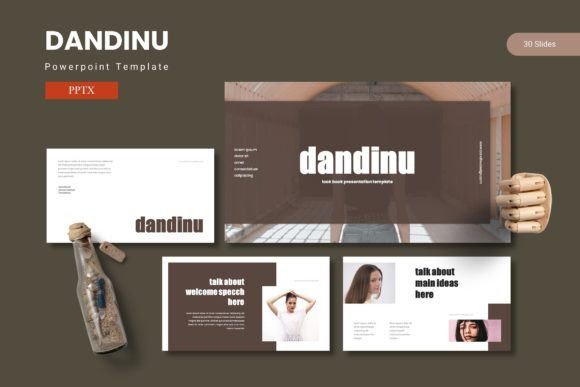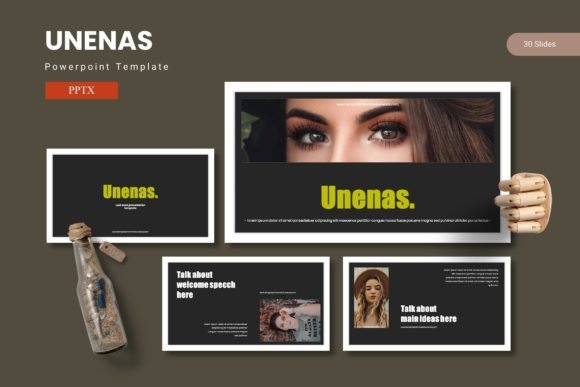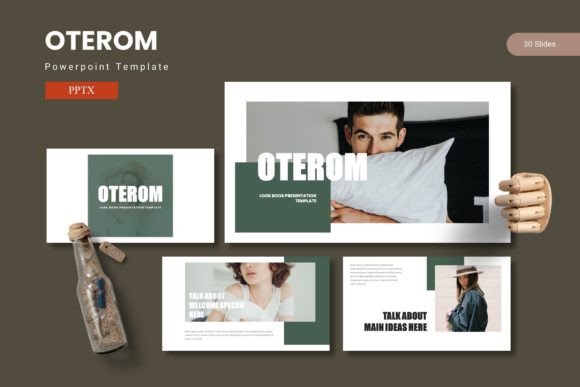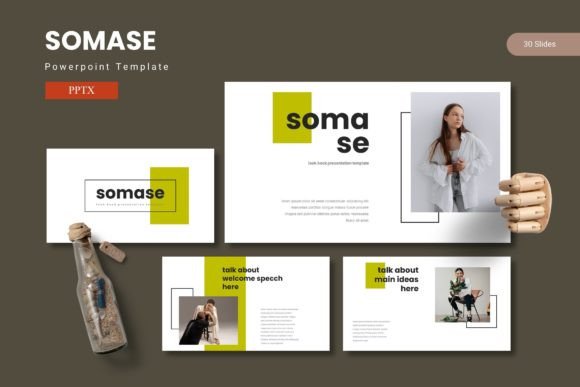
Cofeera PowerPoint Template
Presentations are often the difference between a prospect understanding your vision or walking away confused. Yet building a deck from scratch takes hours, especially when you need polished visuals, consistent branding, and a narrative flow that holds attention. This is where a thoughtfully designed PowerPoint template becomes more than a time-saver—it becomes a strategic asset. Cofeera enters this space as a versatile, color-rich toolkit built for professionals who need to move fast without sacrificing quality.
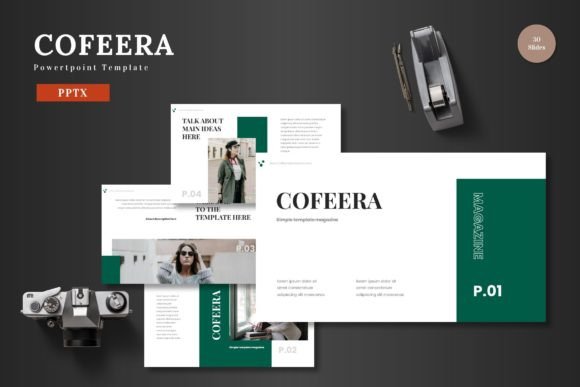
With 150 total slides spread across five premade color schemes, this template offers immediate flexibility. You get 30 slides per color variation, plus section break slides and handcrafted infographics. Every element—from icons to image placeholders—is resizable and editable directly inside PowerPoint. No external software is required. You simply drag and drop your content, replace placeholder images, and adjust colors to match your brand. The animated slide transitions add polish without requiring advanced design skills.
What Makes the Cofeera Template Stand Out
The real value of any slide template lies in how much heavy lifting it does for you. Cofeera is built around master slides, meaning any change you make to a master layout automatically updates across related slides. This keeps your deck consistent even when you tweak fonts, colors, or spacing. The five color variations—included as separate PPTX files—let you test different moods without starting over. A clean professional palette works for corporate pitches, while a brighter scheme might suit a product launch or creative agency.
Infographics in this template are not afterthoughts. They are handcrafted data visualizations that help you explain processes, compare metrics, or illustrate timelines. Because they are fully editable, you can reshape them to fit your exact numbers without wrestling with complex chart tools. Paired with pixel-perfect illustrations, these slides make dense information feel accessible.
Creative Applications for Different Audiences
A single template rarely meets every need, but Cofeera is designed with enough range to serve multiple scenarios. Here are practical ways different users can adapt it.
Business Pitches and Investor Decks
When you walk into a funding meeting, your slides need to communicate credibility fast. The structure of the 30-slide decks within this template follows a logical narrative arc: problem, solution, market opportunity, business model, team, and financial projections. You can keep the core structure intact while customizing each section with your data. Use the infographic slides to show revenue growth or user acquisition trends. Replace the generic team photo placeholders with actual headshots. The section break slides act as visual pauses, giving your audience a moment to absorb before you move to the next big idea.
For example, a SaaS startup pitching to angel investors could use the blue color scheme to project stability. The founder would import their churn rate graph into an infographic slide, adjust colors to match their brand, and use the animated transitions sparingly—just on key slides like the market size reveal. The result is a deck that feels custom-built, not templated.
E-Commerce and Product Launches
Selling a product online means showcasing benefits clearly. Whether it is a physical item or a digital service, the gallery and portfolio slides in Cofeera let you feature high-resolution images with captions. Drag and drop product shots into the picture placeholders, add bullet points under each image, and let the slide layout do the spacing work for you.
Consider a brand launching artisanal coffee beans. They could use the warm brown color variation to mirror the product's earthy aesthetic. One slide might display packaging next to tasting notes. Another might use an infographic to show the roasting process from bean to cup. The portfolio section could highlight three different blends with photos and short descriptions. Because all graphics are resizable, you can zoom into a product detail without losing resolution.
Educational and Workshop Content
Teachers, trainers, and online course creators need slides that clarify concepts without distracting learners. The clean layouts in this template help you avoid visual clutter. Use the bulleted list slides for step-by-step instructions. Replace stock photos with screenshots or diagrams. The consistent color scheme across all 30 slides ensures that your learners focus on the content rather than jarring design changes.
An educator explaining data analytics to undergraduates might use the green color scheme—calm and neutral. They could replace the business mockups with charts from real datasets, then use the section break slides to mark module transitions. The ability to edit everything in PowerPoint means no steep learning curve before class starts.
Portfolio and Creative Showcases
Freelancers and creative professionals often struggle to present their work in a way that feels professional without being boring. The portfolio and gallery slides give you a grid layout to display projects, with room for context. Because the template includes multiple color options, you can match the background to your personal brand.
A graphic designer might choose the dark theme for a sleek, modern portfolio. Each portfolio slide could feature one project—brand identity work, website design, or packaging. Below each image, a short case study explains the challenge and solution. The client name, timeline, and tools used fit neatly into the predefined text placeholders. The animated slide transitions add a subtle wow factor when you present in person or share the file as a PDF slideshow.
Practical Tips for Keeping Your Deck Effective
Even the best template requires thoughtful execution. Here are recommendations for getting consistent, audience-friendly results.
Edit the master slides first. Before you touch individual slides, open the slide master view and set your brand fonts, logo placement, and default colors. This one step ensures every slide you create inherits those settings. It also saves time if you need to update the deck later.
Use color variations intentionally. Test your content against two different color schemes. Sometimes the same data feels more authoritative in navy blue and more approachable in teal. Choose based on your audience—corporate stakeholders may prefer conservative palettes, while a creative agency audience appreciates bolder choices.
Replace every placeholder image. Generic stock photos trained on people staring at laptops weaken your message. Take time to substitute relevant images: your own product photos, team pictures, location shots, or custom illustrations. Even a simple screenshot of your dashboard is more trustworthy than a random office photo.
Limit animations to key slides. Cofeera includes animated transitions, but using them on every slide can feel gimmicky. Reserve motion for moments you want to emphasize—a reveal of a key metric, a before-and-after comparison, or a section intro. This keeps the viewer focused.
Tailor the infographics to your data. Do not leave sample numbers in the charts. Edit the text, bar heights, and percentages to reflect your actual statistics. If you are not a data visualization expert, stick to simple formats like bar charts and process flows. The template gives you a solid foundation; your data makes it original.
Adapting for Different Formats and Platforms
Modern presentations rarely stay in PowerPoint alone. You may need to share slides as PDFs, upload them to Google Slides, or present via video conferencing tools. Because Cofeera is built in PowerPoint, you can export to PDF directly—all fonts and graphics remain intact. If you need to move the deck to Google Slides, check that custom fonts transfer correctly (use standard web-safe fonts if collaboration is a priority).
For social media teasers, you can export individual slides as high-resolution images. A single slide announcing a product launch or sharing a data point works well on LinkedIn or Instagram. The consistent visual identity across the template means your brand look remains cohesive whether someone sees a full deck or a single slide.
Maintaining Quality and Originality
Templates are starting points, not crutches. The best presentations using this template will feel personal because the presenter invested time in customization. Change the sample text to your own voice. Adjust the layout if your content needs more or less space. If a slide design does not quite fit, duplicate a different layout from the same color scheme. The 30-slide structure gives you room to mix and match without breaking visual consistency.
Quality also depends on image resolution. Always use high-resolution photos—at least 1920 pixels wide for full-screen slides. The picture placeholders are designed to crop images cleanly, but starting with a large file prevents pixelation when you resize. Similarly, vector graphics included in the template scale without blur, so do not be afraid to enlarge an icon or diagram.
Finally, review your deck for consistency in font sizes, alignment, and spacing. Master slides help, but always check individual slides after customization. A single misaligned text box can distract a sharp-eyed audience.
Cofeera provides the structure, color variety, and editable assets that turn a raw idea into a polished presentation. Whether you are building a pitch deck for investors, a product showcase for customers, or an educational module for students, the template adapts to your narrative. With 150 slides to choose from and five color schemes ready to go, your next presentation can be ready faster—and look better—than if you started from a blank screen.