Asomaco Powerpoint Template: Polished Presentations Made Simple
Every presentation is a moment of truth. Whether you are standing in a boardroom, sharing a screen with a potential investor, or publishing a PDF for a client proposal, the visual quality of your slides directly impacts your credibility. A disorganized layout or a mismatched color scheme can undermine even the strongest data. What you need is a reliable framework that handles the heavy lifting of design so you can focus on your message. The Asomaco Powerpoint Template delivers exactly this—a complete, scalable system for creating professional presentations without the steep learning curve of advanced design software.
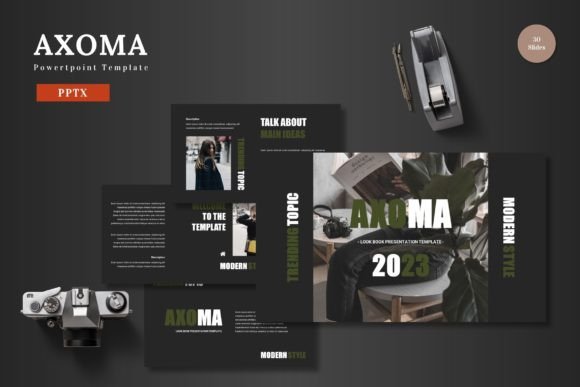
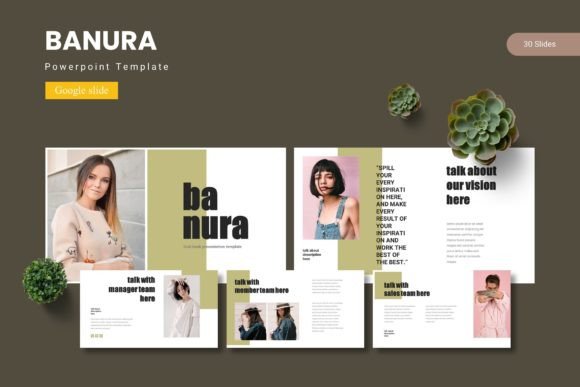
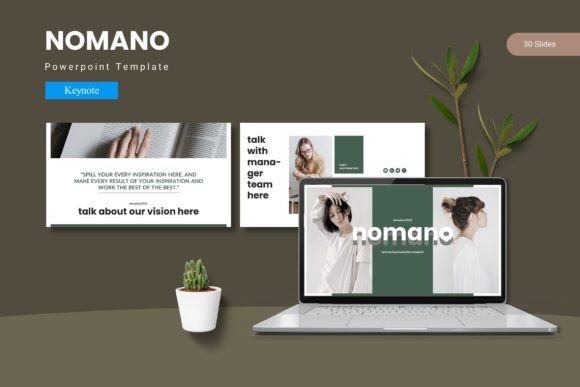
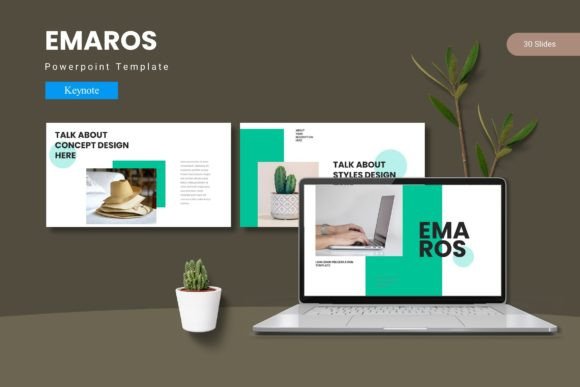
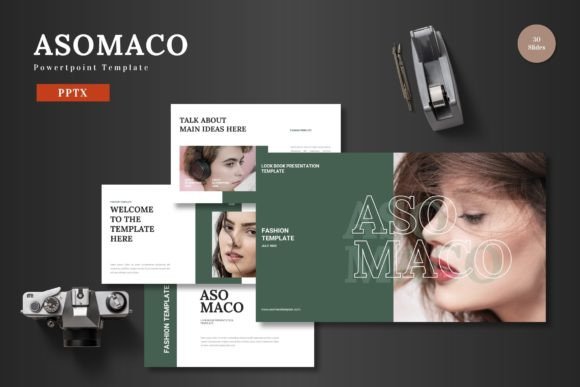
Built around the principle of flexibility, this template offers 150 total slides spread across 5 distinct premade color schemes. That means you effectively get 30 slides per color variation, giving you the freedom to choose a palette that aligns with your brand or the mood of your project. From the moment you open the file, the structure is intuitive, allowing you to drop in your content, swap images, and adjust text without breaking a sweat.
Visual Personality and Core Characteristics
The visual identity of Asomaco balances clean modernism with vibrant versatility. The layouts are built on a grid that prioritizes clear visual hierarchy, ensuring your headlines, body copy, and supporting visuals each occupy a defined space. The pixel-perfect illustrations and handcrafted infographics feel intentional rather than generic, adding a layer of depth that sets your slides apart from standard corporate templates.
Each of the 5 color variations has been carefully developed to evoke a different tone. One scheme might lean bold and energetic, suited for a tech startup or a product launch, while another offers a softer, more refined palette ideal for consulting or personal branding. This range allows a single template to serve multiple purposes without ever feeling repetitive. The section break slides, in particular, provide natural pauses in your narrative, helping your audience transition smoothly between topics. Whether you are building a pitch deck, a product promotion, or a company portfolio, the underlying design language remains cohesive and professional.
Who Benefits Most from Asomaco?
This template resonates strongly with a diverse audience, from founders and freelancers to in-house marketing teams and creative agencies.
- Entrepreneurs and Startups: When you are fundraising, every slide counts. Asomaco’s structured slide deck formats help you present your business model, traction, and market opportunity with clarity. The infographics are particularly useful for illustrating growth metrics without overwhelming your audience.
- Marketers and Content Creators: Consistency is everything in brand communication. Using the Asomaco template across a campaign, a product launch, or a series of social media graphics ensures that your visual identity stays intact. The drag-and-drop picture placeholders make it easy to swap out product shots or lifestyle imagery in seconds.
- Designers and Creative Professionals: Even experienced designers appreciate a solid foundation. The gallery and portfolio slides included in Asomaco are built to showcase visual work attractively. This saves time on layout experimentation, allowing you to present your case studies, mood boards, or creative concepts in a polished format.
- Small Business Owners and Freelancers: Not everyone has access to a dedicated design team. This template empowers you to produce high-quality materials for client proposals, onboarding decks, or internal training without needing to outsource. The result is a consistent, professional brand presence that builds trust over time.
The Role of Typography and Visual Hierarchy
Good typography is the backbone of any successful presentation. The Asomaco template comes with carefully selected font pairings designed to establish a strong hierarchy from the very first slide. The heading styles likely incorporate a modern, expressive typeface—perhaps a bold sans serif or a clean display font—that commands attention, while the body text is set in a highly readable alternative. This contrast guides the viewer’s eye naturally from the headline to the supporting details.
When evaluating the font choices within Asomaco, pay attention to how they handle different content types. A strong visual hierarchy reduces cognitive load; your audience can instantly identify key takeaways without having to search the slide. This is particularly important in fast-paced environments like board meetings or conference presentations. The template’s structure supports this by locking in consistent typeface applications across all 150 slides, meaning you won’t accidentally mix a serif heading with a script body style.
For brand recognition, consistent typography is just as important as a logo. By using the same font pairings throughout your materials, you reinforce familiarity. Audiences may not consciously notice a well-chosen typeface, but they will feel the difference in professionalism and coherence. The modern typography approach in Asomaco works well across both digital screens and printed handouts, maintaining its legibility at various sizes.
Practical Steps to Get the Most Out of the Template
To truly leverage the power of Asomaco, it helps to follow a structured workflow. Start by reviewing all 5 color variations before you begin editing. Think about your brand’s personality and the emotional response you want to evoke. The color scheme you choose will set the tone for the entire presentation.
- Test the Font Pairings: Open a few sample slides and examine how the heading and body text interact. If your brand uses a specific typeface, you can easily swap it in, but the default pairings are already optimized for readability and aesthetic balance. This is a great opportunity to evaluate the fit before you commit to dozens of slides.
- Leverage Master Slides: Asomaco is built on Master Slides, which is a major time-saver. Instead of editing every single slide individually, you can adjust the global layout, color, or font style from the master view. This ensures uniformity across the entire deck and prevents accidental formatting inconsistencies.
- Map Your Content to Infographics: Inventory your data early. Do you have timeline milestones, percentage breakdowns, or comparative statistics? Browse the handcrafted infographic options and match them to your content structure. This transforms raw data into a visual story that is much easier for an audience to digest.
- Use Picture Placeholders Strategically: The drag-and-drop feature is straightforward, but think about the visual impact of each image. Use high-resolution, relevant photos that support your narrative rather than just filling space. The placeholders are designed to maintain aspect ratios, so you can focus on sourcing the right visuals without worrying about cropping issues.
Real-World Applications Across Industries
The versatility of Asomaco means it adapts to a wide range of use cases. In digital marketing, it can be used to create consistent social media graphics, advertising pitch decks, or content calendars. For publishing and editorial purposes, the clean layouts lend themselves well to media kits, style guides, or annual reports. Small business owners in retail or e-commerce can utilize the product promotion slides to highlight new arrivals, seasonal sales, or customer testimonials.
Even outside the traditional business context, the template holds up well. Freelancers offering services in coaching, consulting, or creative direction can build a complete portfolio with minimal effort. The inclusion of an animated slide adds a dynamic element that can be especially engaging for webinars or digital presentations. Because all elements remain editable within Powerpoint, you are never locked into a specific layout. If an illustration or chart doesn’t perfectly match your vision, you can adjust its size, color, or position without needing external design software.
Why Consistency Builds Brand Recognition
Brand perception is shaped by every interaction a customer has with your business, and your presentations are often a major touchpoint. When you use a unified design system like Asomaco across multiple decks, you train your audience to recognize your visual voice. The repetition of specific color palettes, typography, and layout structures creates a subconscious sense of reliability and professionalism.
This consistency also impacts internal team dynamics. If multiple people in your organization need to create presentations, providing them with a single, well-structured template ensures that the output remains cohesive regardless of who built it. It reduces the friction of formatting and allows everyone to focus on content quality. For small businesses and solo operators, this level of polish helps you compete with larger brands that have dedicated design departments.
Final Thoughts on Choosing Asomaco
Selecting the right presentation template comes down to evaluating how well it supports your specific workflow and audience expectations. Asomaco stands out because it offers a generous volume of content—150 slides across 5 colors—without sacrificing quality or adaptability. The inclusion of handcrafted infographics, pixel-perfect illustrations, and intuitive Master Slides means you are not just buying a backdrop; you are investing in a design system that can grow with your brand.
Whether you are building a pitch deck for investors, a product catalog for e-commerce, or a personal portfolio for freelance clients, this template provides the structure and flexibility to execute your vision. The practical, drag-and-drop nature of the platform respects your time, while the polished aesthetics ensure that your final output commands attention. For designers, entrepreneurs, marketers, and small business owners alike, Asomaco is a reliable asset that bridges the gap between inspiration and execution.