Elevating Professional Presentations: A Practical Guide to the Damera Keynote Template
Creating a presentation that is both visually cohesive and functionally robust often feels like a trade-off between time investment and creative control. Many professionals find themselves locked into generic layouts that fail to communicate their specific narrative, or they spend hours meticulously aligning assets slide by slide. The Damera Keynote Template addresses this gap by offering a comprehensive design system rather than a simple slide collection. This guide explores how its structural components, visual assets, and workflow efficiencies can serve diverse audiences, from corporate strategists to independent creators.
The Architectural Logic of a Unified Design System
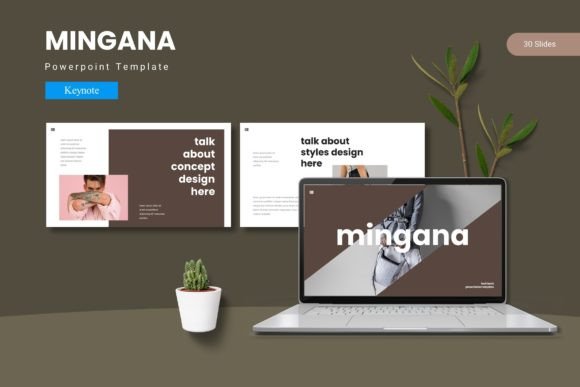
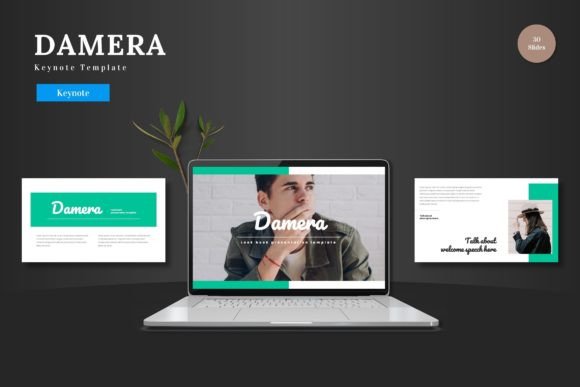
A template’s true value lies not in its decorative elements but in the underlying structural logic that ensures consistency across dozens of slides. The Damera Keynote Template is built upon a foundation of 150 total slides organized into five distinct color variations, with 30 slides allocated per template section. This granular approach allows users to maintain a coherent visual thread throughout lengthy presentations without resorting to repetitive layouts. The presence of section break slides is particularly important for narrative pacing, giving the audience a mental reset between major topics. For a business owner preparing an annual investor report, this structure eliminates the cognitive load of deciding where each piece of content should go, allowing them to focus on the data itself. Master slides serve as the backbone here, ensuring that any global adjustments to fonts, backgrounds, or color accents propagate seamlessly across the entire deck. This is a critical time-saving feature for anyone who has ever had to manually update a logo or headline format across 40 slides.
Navigating the Five Color Scheme Ecosystem
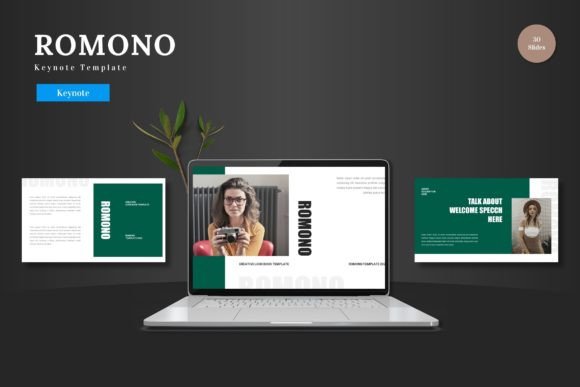
The inclusion of five premade color schemes within a single file transforms the Damera Keynote Template into a versatile tool for branding and audience adaptation. Instead of starting from scratch for different departments or client presentations, users can select a color variation that aligns with their specific identity. A marketing agency, for example, might use one scheme for a retail client and a completely different palette for a technology startup, all while maintaining the same coherent slide architecture. The schemes are baked into the Master Slides, meaning that changing the color profile is a matter of a few clicks rather than hours of meticulous editing. For educators presenting research data, this allows them to match the institutional colors without violating brand guidelines, while hobbyists and creators can experiment with different aesthetics to find the one that best resonates with their audience.
Visual Assets and the Shift from Decoration to Communication
The difference between a distracting presentation and an impactful one often lies in the quality and relevance of its visual assets. The Damera Keynote Template incorporates handcrafted infographics and pixel-perfect illustrations that serve a communicative purpose rather than mere decoration. These assets are designed to be fully resizable and editable, which is a significant advantage over static images. A researcher presenting complex data can break down a dense chart into a sequential infographic that guides the viewer through the findings step by step. The pixel-perfect nature of the illustrations ensures that they remain crisp on high-resolution displays and projectors, a detail that matters deeply for designers and creative professionals who are sensitive to visual fidelity. Importantly, because all graphics are resizable, users are not locked into a single composition; they can extract elements, combine them with their own imagery, and reshape the visual narrative to fit their exact needs.
The Practical Utility of Drag-and-Drop Galleries
One of the more nuanced features included in this Keynote template is the picture placeholder system and the dedicated gallery and portfolio slides. For a photographer, architect, or product designer, presenting a portfolio of work is the central objective of the presentation. Standard text-heavy templates often force visuals into awkward, constrained boxes. The Damera Keynote Template solves this by offering structured layouts where users can simply drag and drop images into designated placeholders. This dynamic workflow preserves the aspect ratio and alignment of the original images, drastically reducing the time spent on manual adjustments. The gallery and portfolio slide variations are pre-structured to showcase visual work in a clean, uncluttered manner. For business owners presenting a new product line, this feature allows them to highlight high-resolution photography without worrying about accidental distortions or misalignment, resulting in a polished, professional output that reflects directly on the quality of their brand.
Workflow Efficiency for Time-Constrained Professionals
For many users, the primary barrier to creating high-quality presentations is the sheer amount of time required for layout, asset sourcing, and formatting. The Damera Keynote Template is specifically engineered to collapse this timeline. The main file includes five Key items from Keynote and 30 slides from Keynote, all pre-configured with the five color schemes. This setup means that a user can open the file and begin populating content immediately. The reliance on master slides means that any global changes are executed in a single action. Consider a corporate trainer who needs to update the quarterly onboarding deck: instead of recreating the entire structure, they simply swap out the old data for new metrics within the existing framework. The folder structure also includes explicit information regarding the required fonts and photo credits in the "Readme First" document. This transparency eliminates the frustrating troubleshooting phase that often occurs when fonts fail to render correctly on a different system, ensuring that the presentation looks exactly as intended when delivered on a client’s or conference center’s computer.
Adapting to Different Presentation Contexts
The practical application of a template like this varies significantly depending on the user's primary objective. For a business owner crafting a pitch deck, the combination of section break slides and structured infographics provides a compelling narrative arc that can move seamlessly from problem statement to market analysis to financial projections. The premade color schemes ensure that the deck remains on-brand without requiring a dedicated graphic designer. For educators and researchers, the focus shifts to the clarity of the infographics and the ability to present complex data visually. The section breaks allow for a clear demarcation between methodology, results, and discussion, helping the audience follow a rigorous academic argument. Creators and hobbyists, such as travel bloggers or community organizers, benefit from the portfolio and gallery slides, which allow them to tell visual stories without heavy text overlays. Each of these contexts benefits from the same underlying structure, but the user's emphasis on specific features—color schemes, infographics, or image placeholders—will differ based on their content strategy.
Technical Considerations and Long-Term Asset Value
When evaluating a presentation template, it is important to consider not just the immediate visual appeal but the long-term utility and adaptability of the assets. The Damera Keynote Template is built for the Keynote ecosystem, which means users can take full advantage of Mac and iOS-specific animations and transitions. The inclusion of 5 color variations within a single file means that users are purchasing a system rather than a single-use design. The handcrafted infographics and illustrations are vector-based or high-resolution assets that can be repurposed for social media graphics or supplementary handouts, extending their value beyond the presentation itself. For professionals who deliver frequent presentations, this amortizes the cost of the template across dozens of projects. The clear documentation regarding fonts and photo information in the provided folder also indicates a level of professional rigor that reduces implementation friction. Business owners, in particular, will appreciate that they can hand this file to a junior team member or an external agency with confidence that the design integrity will be maintained.
Making an Informed Decision for Your Presentation Needs
Selecting a presentation template ultimately comes down to matching the tool to the specific demands of your workflow and audience. The Damera Keynote Template offers a balanced ecosystem of structured layouts, adaptable visual assets, and efficient workflow features. It supports a broad spectrum of users, from the corporate executive who needs a reliable, branded deck delivered on time, to the creative professional who demands pixel-perfect imagery and flexible layout options. The focus on master slides and premade color schemes addresses the critical need for consistency, while the infographics and gallery slides provide the creative flexibility necessary to make complex information accessible and visually engaging. Understanding these features allows users to leverage the template not as a rigid cage, but as a dynamic foundation that supports effective visual communication. Whether the goal is to secure funding, educate a classroom, or showcase a body of work, the structural and visual principles embedded in this template provide a clear path from concept to a polished, impactful delivery.