Eronami – PowerPoint Template for Impactful Presentations
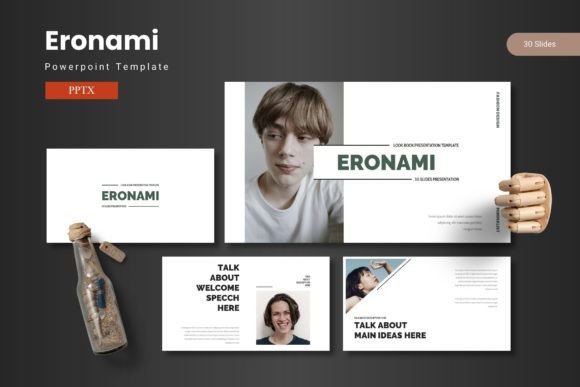
When you step up to present an idea, the first impression is rarely your voice—it’s the slide that greets the room. That single frame sets visual hierarchy, communicates credibility, and either invites your audience in or pushes them away. Eronami – PowerPoint Template was crafted precisely for that moment, fusing modern aesthetics with practical design workflow so that every slide feels intentional, not improvised. Built on master slides and handcrafted infographics, this template gives graphic designers, marketers, and business owners a flexible canvas to translate data into visual stories without fighting layout constraints.
A Slide System That Respects Your Creative Workflow
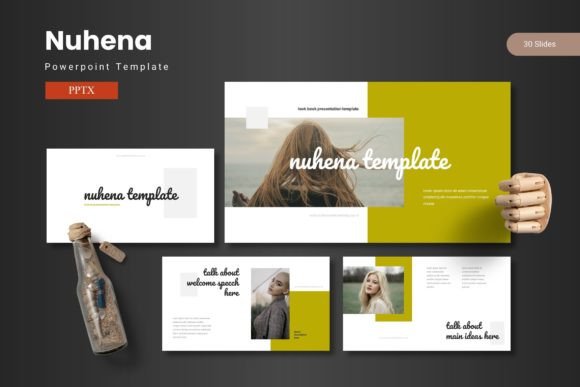
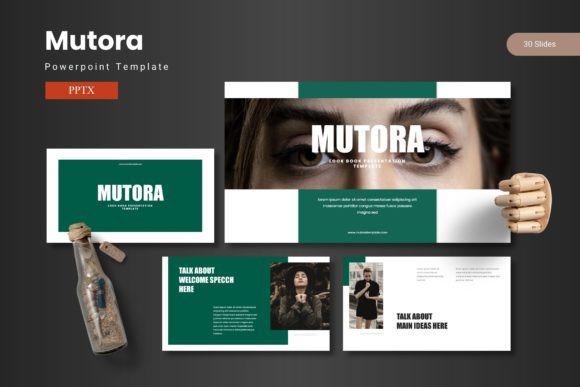
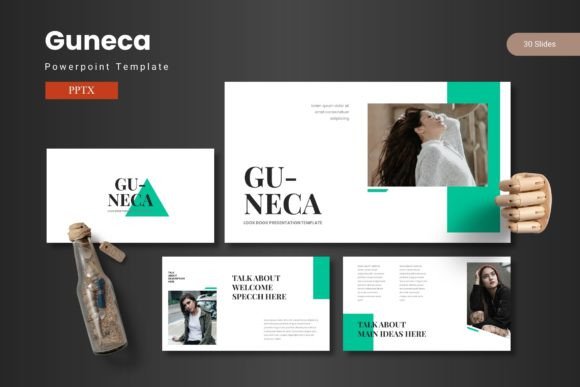
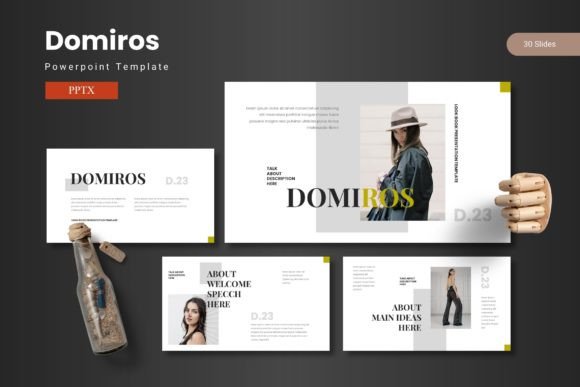
Professional presentation design often falls into two traps: rigid templates that force your content into awkward boxes, or blank decks that demand hours of manual formatting. Eronami solves both by offering 150 total slides spread across five premade color schemes, each with 30 dedicated slides. That means you can maintain a consistent brand identity while still adapting to different audiences—a formal boardroom deck uses the same core structure as a casual team brainstorm, just with a different color palette. The template includes section break slides, gallery and portfolio layouts, and drag‑drop picture placeholders, so even non‑designers can swap images without breaking alignment or visual balance.
Five Color Variations, One Consistent Voice
Color is often the fastest way to differentiate a brand or campaign. Eronami gives you five complete color variations inside a single file, so you can match a client’s existing brand guidelines or test different moods for the same content. Whether you need a dark, high‑contrast palette for a tech startup pitch or a light, airy scheme for a lifestyle brand deck, the included color options are pre‑applied across all 30 slides per variation. This kind of systematic consistency is exactly what graphic designers look for when scaling a presentation from a one‑off event to a reusable asset library.
How Eronami Elevates Visual Communication
Effective presentations rely on more than just pretty slides—they depend on clarity, readability, and audience engagement. Eronami’s handcrafted infographics are built on master slides, meaning any global change (like a font swap or color update) propagates instantly. For a brand identity project, this is invaluable: you can test different typography options without recreating each chart or diagram. The pixel‑perfect illustrations are fully resizable and editable, so scaling from a laptop screen to a large‑format display retains sharpness.
Moreover, the template’s design follows modern UX principles for presentations: visual hierarchy is clear, white space is used purposefully, and call‑to‑action elements stand out naturally. When you combine these slides with your own data or photography, the result feels like a custom agency deliverable rather than a pre‑packaged template.
Practical Applications Across Design Disciplines
While Eronami is marketed as a PowerPoint template, its structure supports a wide range of creative projects:
- Branding and logo design – Showcase your brand guide, mood boards, and logo variations in a polished, coherent deck.
- Marketing materials – Repurpose slides into one‑pagers, sell sheets, or media kits with minimal tweaking.
- Social media graphics – Use the gallery and portfolio slides as templates for Instagram carousels or LinkedIn pitch decks.
- Editorial and packaging design – Present package mockups, editorial spreads, or product shots in context with consistent typography.
- Digital products and UI/UX walkthroughs – Demonstrate user flows, wireframes, or app screens in a presentation that mirrors your product’s visual language.
Each application benefits from the template’s pre‑built picture placeholders, which let you drag and drop images while protecting the underlying grid. This saves hours of manual cropping and alignment work.
Choosing the Right Template for Your Design Workflow
When evaluating a presentation template, consider how it fits into your existing design system. Look for master slide control, global color changes, and enough slide variety to cover different story arcs. Eronami delivers on all three: its 30‑slide sets per color scheme include title slides, content layouts, comparison pages, data charts, and section dividers. For teams that rely on brand consistency, the five included color schemes can be treated as seasonal or campaign variations without rebuilding the base structure.
Also pay attention to file compatibility. The main file includes 5 PPTX files (one per color scheme), a readme file, and font information. Working from the master slides ensures that any edits—whether to typography, color palette, or illustration size—stay consistent across the entire deck. This is especially valuable when multiple team members contribute slides, as it prevents the visual drift that often occurs in collaborative presentation projects.
Typography and Imagery: Small Choices, Big Impact
Eronami’s modern aesthetics lean on clean sans‑serif typefaces for headings and readable body fonts, but the template is built to accept custom typography. If your brand identity uses a specific font pair, you can swap it in via the master slide and the whole deck updates instantly. Similarly, the drag‑drop picture placeholders are sized to maintain a consistent ratio—typically 16:9—so images remain crisp and well‑composed. This attention to detail matters in digital marketing and social media graphics, where a mismatched image ratio can break the user experience.
Closing Thoughts on Thoughtful Design Choices
The best creative assets don’t just look good—they make your workflow smarter. Eronami – PowerPoint Template proves that a well‑crafted slide system can accelerate presentation design without sacrificing visual quality. By combining master slides, pre‑built infographics, and multiple color schemes, it serves as a practical foundation for brand identity projects, marketing campaigns, and everyday business communication. Whether you are a freelance graphic designer juggling client decks or a marketing lead preparing a quarterly review, investing in a template that respects your design process pays off in clarity, consistency, and audience trust. Quality creative assets like this one let you focus on what matters most: sharing your ideas with confidence.