Guneca - PowerPoint Template for Confident Presentations
Have you ever sat down to build a presentation and felt that familiar tension between what you want to say and how to say it visually? That gap between good content and great delivery is exactly where Guneca - PowerPoint Template steps in. Designed for professionals who need their slides to work as hard as their ideas, this template brings together structure, style, and flexibility in a way that feels intuitive from the very first click. Whether you are pitching to a client, presenting at a conference, or sharing internal updates with your team, having a design foundation that supports your message rather than distracts from it makes all the difference.
What Makes Guneca Stand Out as a Presentation Tool
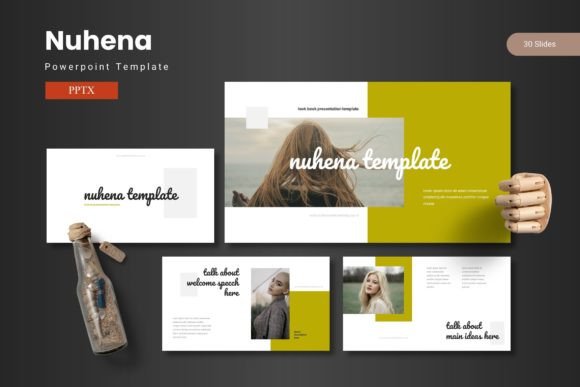
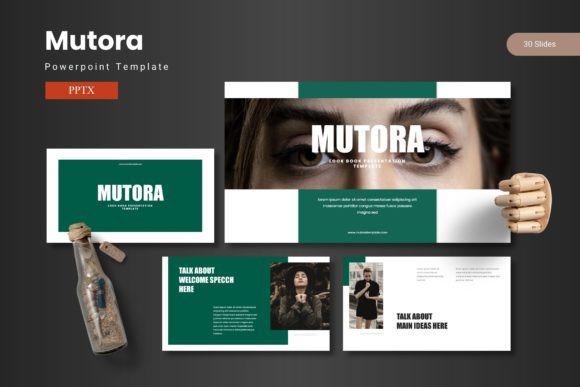
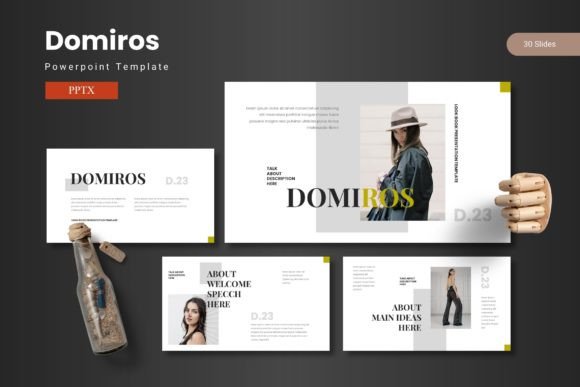
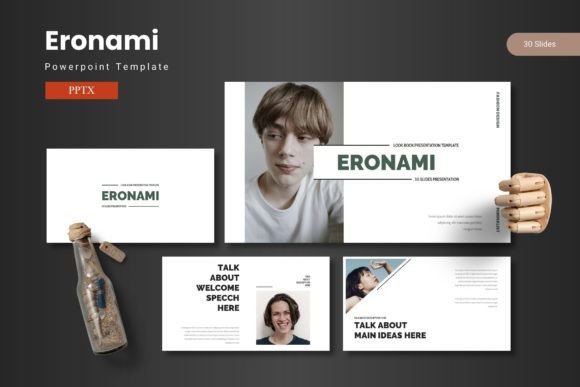
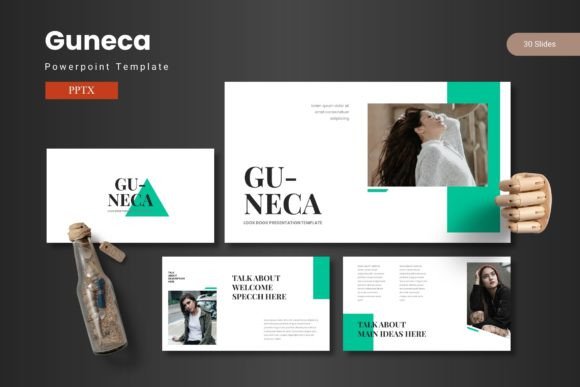
Guneca is not just another set of slides with a few background colors swapped in. It is a carefully crafted system built around 150 total slides spread across 5 premade color schemes, each offering 30 slides per template variation. That means you get five complete presentation decks in one download, each with its own color identity but sharing the same thoughtful layout architecture. The inclusion of section break slides, handcrafted infographics, and dedicated gallery and portfolio slides means you never have to stop and build a chart or layout from scratch mid-project.
Every graphic and illustration is pixel-perfect and fully resizable and editable. Picture placeholders let you drag and drop your own images without breaking the composition, and the master slides keep your formatting consistent across all slides. This kind of attention to detail matters more than most people realize. When you are moving fast—maybe pulling together a deck the night before a big meeting—the last thing you want is to fight with alignment or color mismatches. Guneca removes those friction points so you can focus on shaping your narrative.
The template also includes 5 PPTX files, each containing 30 slides with a distinct color scheme. A readme file, font information, and photo details are included in the folder, so you know exactly what you are working with and where everything lives. For anyone who has ever downloaded a template only to spend hours hunting for missing fonts, this level of organization is a small but meaningful relief.
Visual Style, Personality, and Where Guneca Shines
The visual personality of Guneca leans toward modern, clean, and professional without feeling cold or overly corporate. The layouts are built with generous white space, clear visual hierarchy, and a strong emphasis on letting data and imagery take center stage. The infographics are handcrafted, not generic stock diagrams, which means they carry a custom feel even though they come ready to use. This makes the template especially well suited for brand identity work, where consistency between a presentation and the overall brand look is non-negotiable.
In terms of typography, Guneca pairs well with both serif and sans serif typefaces, depending on the tone you want to set. The template itself uses fonts that are legible at screen sizes and work across slide projectors, laptops, and mobile viewing. If you are building a deck for a product launch, the clean layouts give your content room to breathe. If you are preparing internal training materials, the structured slides keep information digestible. The template also works beautifully for social media graphics, where visual clarity matters even in thumbnail sizes, and for editorial-style presentations where image and text need to coexist without competing.
Creative professionals like designers and content creators will appreciate the flexibility in the master slides and the ease of swapping colors to match a client’s palette. Entrepreneurs and small business owners, who often wear multiple hats and do not have dedicated design teams, benefit from the plug-and-play nature of the template. You do not need to be a PowerPoint expert to produce slides that look polished and intentional. The template does the heavy lifting on the design side while leaving you in control of the content and structure.
How Guneca Supports Readability, Hierarchy, and Brand Consistency
Readability in a presentation is not just about font size. It is about how information is structured across the slide, how elements guide the eye from one point to the next, and how much cognitive load the audience carries just to understand the layout. Guneca handles these details through its use of master slides and consistent spacing. Each slide layout has been tested to ensure that headlines, subheadings, body text, and visuals fall into a natural order. This is especially important when you are presenting complex data, because the less time people spend decoding your slide, the more attention they can give to your actual message.
Visual hierarchy is reinforced through size, color, and placement. The handcrafted infographics are designed to highlight key data points without overwhelming the viewer, and the section break slides act as natural pauses that reset attention. For brand consistency, the 5 color variations let you adapt the template to different brand identities or campaign themes without rebuilding anything. If your company uses a specific primary and secondary palette, you can customize the scheme directly. If you are a freelancer working across multiple clients, you can keep a master file for each color variation and pull from them as needed.
Professionalism comes across in the small details: pixel-perfect icons, consistent drop shadow usage, and image placeholders that sit cleanly within the layout. These elements signal to your audience that you have put thought into the presentation, which in turn builds trust and engagement. When your slides look cohesive and intentional, your audience is more likely to perceive you and your message the same way.
Practical Guidance for Getting the Most Out of Guneca
Before you start building your deck, take a few minutes to review the included readme file and font information. Knowing which typefaces are used and where they come from saves you from last-minute substitutions that can throw off your layout. If you plan to use the template across multiple presentations, consider setting up a master version with your brand colors, logo, and preferred fonts. That way, every time you open Guneca, your defaults are already in place, and you can work faster.
When choosing a color variation, think about the context of your presentation. Lighter schemes work well for internal meetings and detailed data slides, while darker or more saturated schemes can add impact for external pitches and keynote-style talks. The 5 color options give you room to match the energy of your content. If you are presenting financial results, a subdued professional tone might fit. If you are unveiling a new product, a bolder palette can help convey excitement.
Font pairing is another area where Guneca gives you room to experiment. Because the layouts are clean and neutral, they accept a wide range of typefaces. For a modern, approachable feel, try pairing a clean sans serif for headings with a readable serif for body text. For something more editorial, a display font for major headings with a simple sans serif for supporting text can create strong contrast. Avoid using more than two or three typefaces in a single presentation, and always test your fonts at actual screen size to confirm legibility from the back of a room.
Commercial licensing is clear with Guneca, so you can use it in client projects without worrying about usage restrictions. That makes it a reliable addition to your design assets, especially if you are a freelancer or agency that regularly produces branded presentations. When you own a tool you can use freely across projects, it becomes part of your workflow rather than a one-off purchase.
Real-World Applications and Design Observations
One of the smartest features in Guneca is the gallery and portfolio slide set. For photographers, designers, and creative studios, these slides let you showcase work in a clean grid or spread without cluttering the screen. The picture placeholders keep every image sized and aligned, so your portfolio looks consistent even when the content varies. This is a small detail, but in practice it saves enormous amounts of time.
For marketers and publishers, the infographic slides are a standout. Instead of pulling static charts from other tools and pasting them into PowerPoint where they often lose formatting, you can edit the graphics directly. The data points are easy to update, and the visual style stays consistent with the rest of the deck. This is especially useful for recurring reports where the same type of data appears month after month.
I have seen designers use Guneca as a starting point for brand style presentations, where the goal is to walk a client through logo options, color palettes, and typography choices. Because the template already looks professional, clients focus on the content rather than on the quality of the slides. That shift feels subtle, but it changes the entire tone of a meeting. Instead of defending the design of your presentation, you spend time talking about the actual work.
If you have been using the same dated template for years or building slides from scratch every time, Guneca offers a middle ground that is both efficient and creative. It respects your time by giving you a system, and it respects your content by getting out of the way when it needs to. Whether you are a seasoned designer or someone who simply needs a presentation that looks like it took more than an hour to build, this template delivers on the promise of confident, impactful communication.